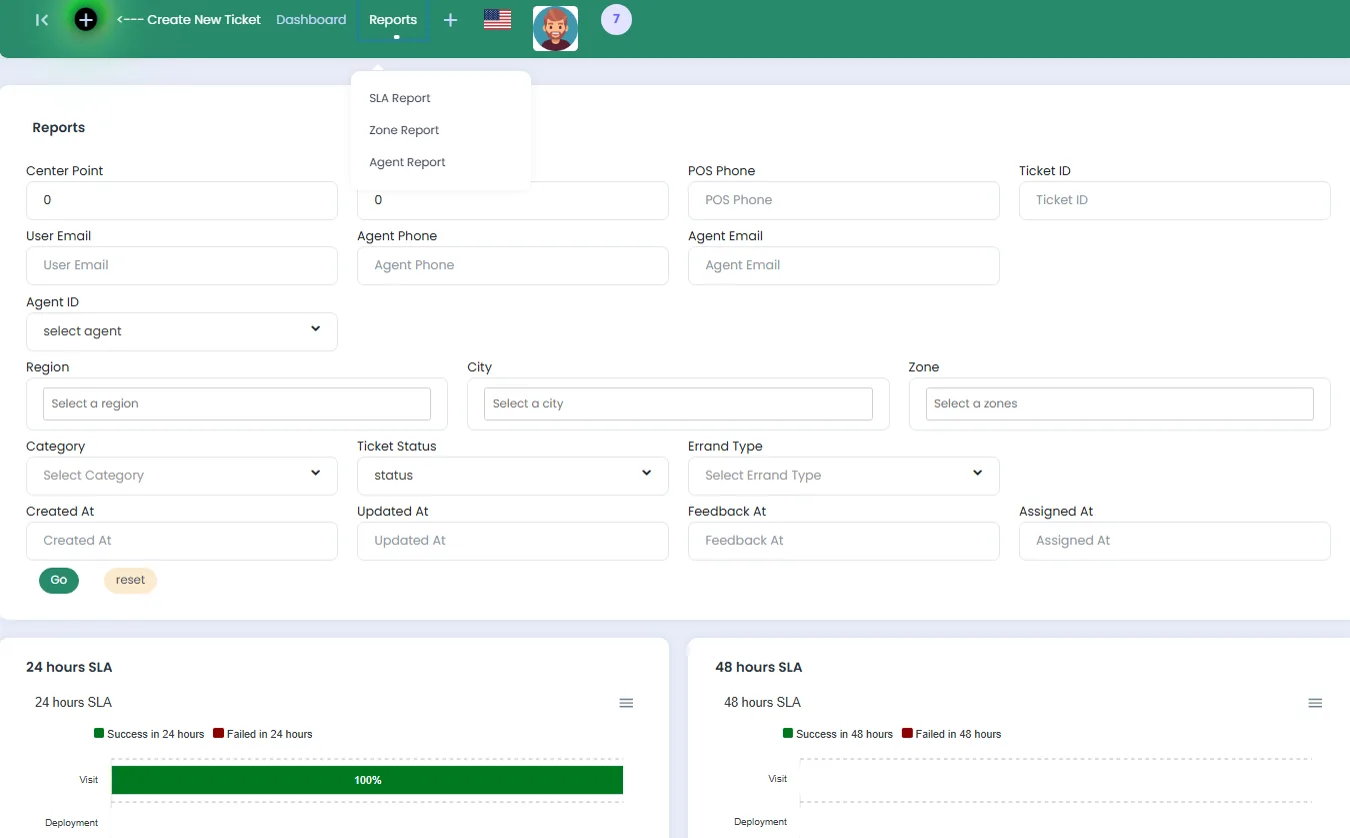
Every field visit assigned by zone and followed until it closes.
Field Service is Dev Fact's system for companies that send agents out to install, service and replace equipment at their customers' premises. A request becomes a ticket, the system assigns it to an agent who covers that zone, and the agent closes it on site from an Android app. Each company gets its own installation, in its own name and colours; two payment companies have run their payment-terminal teams in Egypt on it.
A request in, the right agent out.
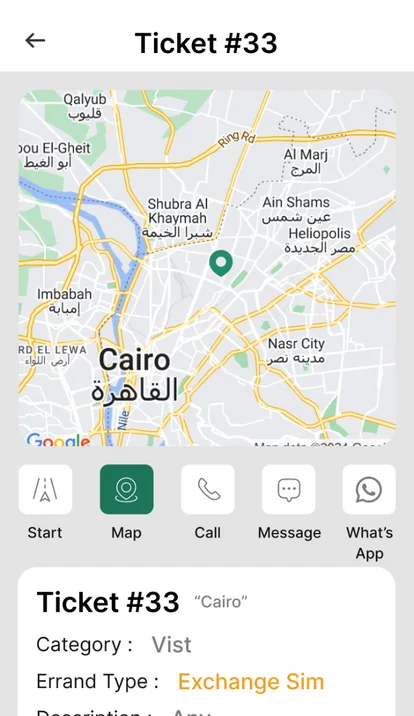
A ticket names the job, the customer and the device. The device has a pin on the map, the pin falls inside a zone, and the zone decides who can be sent.
The system then picks the agent itself: one who covers that zone, is cleared for that kind of job and still has room that day. If nobody fits, the coordinator for that city is notified.
- Zones on the mapRegions, cities and zones, each zone drawn as a shape on the map.
- Automatic dispatchAgents are matched by zone, by skill and by the tickets they already hold for that day.
- Named agentsA device can name its own agent, and a zone can name who steps in when nobody is free.
- Customers and devicesEvery site and each device in it, with its address, its pin on the map and its ticket history.
- Excel in, Excel outCustomers, devices, agents and tickets are imported from Excel, and every list exports back.
- Three reportsTickets closed within 24, 48 and 72 hours, and the work in each zone and by each agent.
The agent's day, in one app.
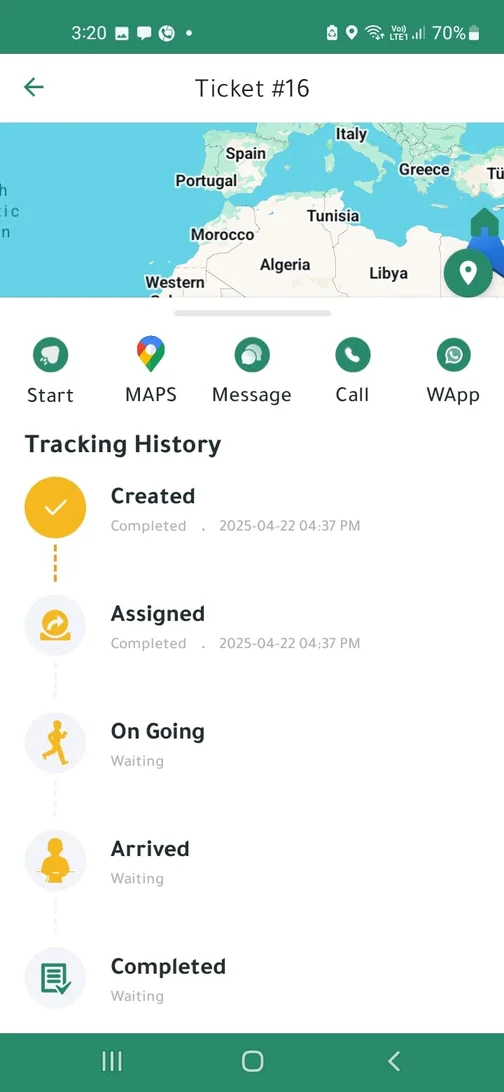
The Android app shows each agent the tickets assigned to them. A ticket moves through five steps: created, assigned, on going, arrived, completed. The job is closed where it was done, not back at the office.
- Map, call, messageDirections to the site, and the customer by phone, SMS or WhatsApp, one tap from the ticket.
- Proof on siteSerial numbers scanned with the camera, and photos or voice notes attached to the ticket.
- Checked on closingThe agent's position is saved with the result, and a device ID that does not match raises an alert.
- NotificationsA new ticket reaches the agent's phone when it is assigned.
- Arabic and EnglishThe app runs in Arabic and English, and the dashboard adds Urdu.
One installation per company.
Each company runs its own copy with its own data. Roles decide what each person may do, and a manager sees only their own part of the operation: their cities in one company, their sales team in another.
Every assignment, change and result is written to the ticket's timeline, with who did it and when.